You've probably heard Nostr mentioned alongside Bitcoin, decentralization, censorship resistance. Maybe you've seen people posting from Nostr clients and wondered what it was all about. Or maybe you're here because you want to leave a review on MappingBitcoin and realized you need a Nostr identity.
Whatever brought you here, this guide will get you set up in under 5 minutes. No technical background required.
What is Nostr?
Nostr is a decentralized protocol for social communication. That's a mouthful, so let's break it down.
Think of email. Anyone can run an email server. Any email app can connect to any server. Nobody owns email. If your provider goes down or bans you, you can switch to another one and keep going.
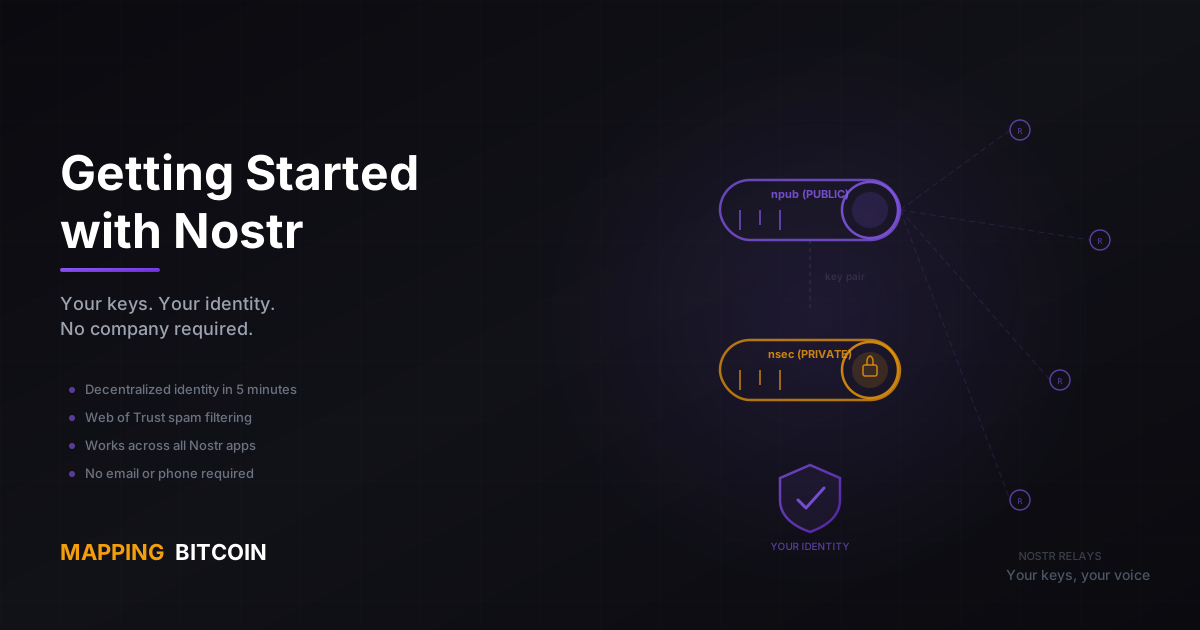
Nostr works the same way, but for social interactions -- posts, messages, reviews, profiles, and more. Instead of email servers, Nostr has relays (anyone can run one). Instead of email clients, Nostr has clients (apps like Primal, Damus, or Snort). And instead of an email address tied to a provider, your identity is a cryptographic key pair that you own outright.
No company controls Nostr. No one can ban you from the protocol. Your identity and your data are yours.
"Nostr is to social media what email is to messaging -- open, decentralized, and owned by no one."
Why Nostr Matters for Bitcoin Users
If you use Bitcoin, you already get the philosophy behind Nostr. They share the same DNA:
Both are decentralized. No single point of failure, no corporate gatekeeper. Bitcoin doesn't need a bank. Nostr doesn't need a platform.
Both use cryptography. Your Bitcoin wallet uses a key pair. Your Nostr identity uses a key pair. Same concept, same level of ownership.
Both resist censorship. Nobody can freeze your Bitcoin. Nobody can silence your Nostr posts. The architecture makes censorship structurally difficult, not just a policy promise.
No personal information required. Bitcoin doesn't ask for your ID to send a transaction. Nostr doesn't ask for your email or phone number to create an identity. You generate a key pair, and you exist.
This is why we built MappingBitcoin's review system on Nostr. When you leave a review, it's a signed Nostr event -- portable, verifiable, censorship-resistant. Your reviews aren't locked inside our platform. They belong to you.
Setting Up Your Nostr Identity
Install the Nostr WoT Extension
The easiest way to get started is with the Nostr WoT Extension -- a browser extension that does more than just manage your keys.
What makes it different from a plain key manager: it also shows you Web of Trust information about people you interact with. You'll see how many hops away someone is in the social graph, whether they're trusted by people you trust, and other WoT signals. This is essential for filtering spam and discovering real people -- and it's built right into the extension.
Alternatives
If you prefer a different approach:
- Alby -- browser extension with integrated Lightning payments. Great if you want to zap (tip) people directly from your browser.
- Amber -- for Android mobile. If you primarily use Nostr on your phone, this is the way to go.
Create Your Account
Once you've installed the extension, creating your identity takes seconds:
- Open the extension and choose "Create New Account" (or similar -- the exact wording varies by extension).
- The extension generates your key pair automatically:
- Public key (npub) -- this is your identity, like a username. Share it freely.
- Private key (nsec) -- this is your password. Never share it with anyone.
Back Up Your Private Key
This is critical. Read this twice.
Your private key (nsec) is the only way to access your Nostr identity. There is no "forgot password" link. There is no customer support. If you lose your nsec, you lose your identity permanently -- your profile, your followers, your reviews, everything.
Write it down on paper. Store it in a password manager. Do both. Treat it like a Bitcoin seed phrase, because that's essentially what it is.
"No nsec, no identity. Back it up before you do anything else."
Set Up Your Profile
Now make yourself recognizable:
- Open a Nostr client (we'll cover these in a moment).
- Edit your profile: add a display name, a profile picture, and a short about section.
- A filled-out profile makes you look real, which matters when people are deciding whether to trust your reviews.
Understanding Web of Trust (WoT)
Web of Trust is the concept that makes Nostr different from the anonymous free-for-all of most social platforms. Here's how it works.
Your Trust Network
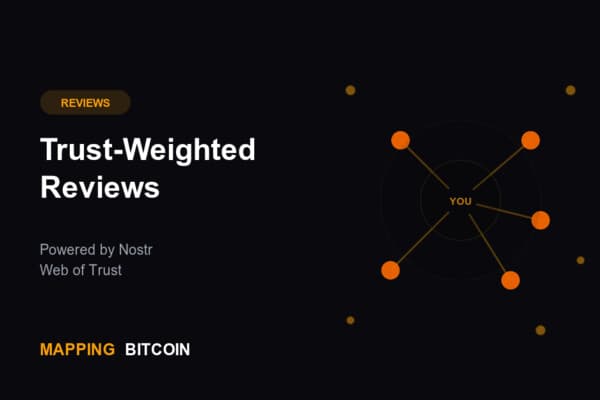
When you follow someone on Nostr, you're saying "I trust this person to some degree." The people they follow extend that trust one step further. This creates a network of trust relationships that radiates outward from you.
- 1 hop -- someone you follow directly. High trust.
- 2 hops -- a friend of a friend. Moderate trust.
- 3 hops -- three connections away. Lower trust.
- Unknown -- no connection to your network. Minimal trust.
Why It Matters
WoT is how you filter the noise without relying on a moderation team:
- Spam filtering. Posts and reviews from unknown accounts carry less weight. Bots can't fake social connections.
- Review weighting. On MappingBitcoin, reviews from people closer to you in the WoT count more toward the rating you see.
- Trust signals. When you see someone's profile, WoT distance tells you whether they're a real community member or a random account.
The Nostr WoT Extension
If you installed the Nostr WoT Extension (recommended above), you get all of this visualized right in your browser. You'll see WoT distance badges on profiles, trust scores on reviews, and a clear picture of how connected someone is to your network.
Learn more at nostr-wot.com.
Your First Steps on Nostr
You've got your identity. Your key is backed up. Your profile is set. Now what?
Build Your Social Graph
Follow some people. This is the foundation of your Web of Trust, and it directly affects how useful Nostr is for you. The more people you follow, the richer your trust network becomes.
A good place to start: follow @MappingBitcoin to stay updated on new Bitcoin merchant listings and reviews.
Try a Nostr Client
Your Nostr identity works across all clients -- pick whichever one suits you:
- Primal -- clean web client with a great onboarding experience. Good first choice.
- Snort -- lightweight web client with a Twitter-like interface.
- Damus -- the go-to iOS app. Polished and actively developed.
Remember, your identity is portable. You can use multiple clients with the same key pair. Try a few and see what fits.
Leave a Review on MappingBitcoin
Here's where it all comes together. Find a Bitcoin merchant on the map, click the star rating, write a few words about your experience, and submit. That's it.
Your review is signed with your Nostr key and published to relays. It's weighted by your position in the Web of Trust. And because it's a Nostr event, it's visible across the ecosystem -- not locked inside our platform.
Resources
Quick links to keep handy:
- Nostr WoT Extension: nostr-wot.com/download
- Learn about Nostr: nostr.com
- MappingBitcoin on Nostr: npub1sadk0snzs0zk2vq96w7d88sag6292dfwzh4pycaf3uxs8r0dgm8qklrmdh
- Related reading: Trust-Weighted Reviews for Bitcoin Merchants
Built on Nostr. Powered by Web of Trust. Your keys, your identity, your voice.